Images and video
Create stills from a prompt, or turn up to nine reference images into a clip with MiniMax H3.
LocAIL.studio runs the newest image and video models, like Krea 2, FLUX 3 Klein, Qwen Image and MiniMax H3, on your own graphics card. Your prompts and pictures never leave your computer.
 + Drag images here+ Add more

Interactive demo of the app, rebuilt for this page. Every picture in it was made with LocAIL.studio on one RTX 5060 Ti 16 GB.
No workflows. No hours of configuring. Just fire it up, and boom.
All the fast workflows run behind the scenes, with turbo LoRAs and tuned settings for every model already built in. You type a prompt, LocAIL.studio handles the rest.
Straight out of the app, one prompt each, no retouching. Four models, one ordinary gaming GPU.
No more digging through model pages to find out which words a LoRA needs. LocAIL.studio recognises each file by its fingerprint and fetches its trigger words, base model and preview from Civitai, or reads what other tools already saved next to it.
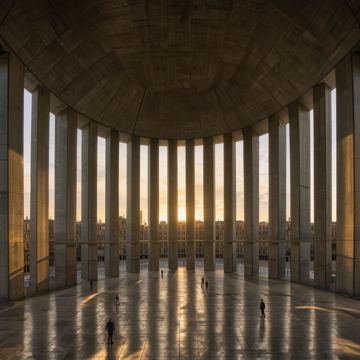
Example LoRA for illustration.
Generate, edit and turn stills into video in one window. ComfyUI's power without wiring nodes.
Create stills from a prompt, or turn up to nine reference images into a clip with MiniMax H3.
Paint over the part you want changed. Everything outside the mask stays pixel-identical to the original.
Outpaint past the edges to make a picture wider or taller, with the new area matched to the old.
Enhance rewrites your prompt with a local language model through LM Studio or Ollama. Not happy? Go back.
See each model's steps, speed and how many source images it takes, split into ready and not installed.
Every LoRA you own in one searchable place, with previews, base model and trigger words filled in for you.
Search by prompt, model, LoRA or folder. Favorites, folders, drag to sort, and a trash with undo.
Hover any edit to compare it with the original, in the big view and in your history.
A live video-memory meter, and a Free memory button for when a big model needs room.
No Python, no node graphs. The setup takes care of the parts you'd normally have to wire up yourself.
Download LocAIL.studio for Windows or Linux and run the installer.
It uses the ComfyUI you already have, or installs a fresh copy for you.
Choose the models you want. The app downloads them for free, then you type a prompt and go.
Cloud generators charge per credit or per month and process your work on their servers. LocAIL.studio uses the hardware you already own.
Start free. Go unlimited by the month, or pay once and keep it for life.
Planned launch prices. They may change before release.
No. Generation runs on your own graphics card, and your prompts, images and videos are saved in a folder on your PC. The prompt helper also runs locally, through LM Studio or Ollama.
A Windows or Linux PC with an NVIDIA graphics card. Every picture on this page was made on an RTX 5060 Ti with 16 GB. More video memory lets you run bigger models and longer video, and the app shows your memory use live. Exact minimum requirements follow at launch.
No. LocAIL.studio uses ComfyUI under the hood and the setup handles it. If you already run ComfyUI, the app can use your existing install.
Pick the ones you want and LocAIL.studio downloads them for you, automatically and for free.
Images: Krea 2 Turbo, FLUX 3 Klein, Qwen Image 2.1, MOSS Image, Klein 9B and Klein 4B.
Editing: Krea 2 Edit, FLUX 3 Klein Edit, Qwen Image 2.1 Edit, MOSS Edit, Klein 9B and 4B Edit, Fibo 2 Edit Turbo and Mage-Flow Edit Turbo.
Video: MiniMax H3, including Singularity v1.3.
Each model keeps its own license, so check it before using results commercially.
No. Use it free with a daily limit. For unlimited use, pay €4.99 a month, or €49 once for lifetime access with a license key. Outside the eurozone it is $4.99 or $49.
The interface is available in 10 languages, and you can switch in Settings.
Windows and Linux. A Mac version is not available at launch.
Questions, press or partnerships: info@locail.studio